// Greeter function in TypeScript
function greeter(name: string) {
  console.log(`Hello, ${name}!`);
}

greeter("World");
So you've decided to take the leap from JavaScript to TypeScript - or maybe you're just TypeScript-curious. I honestly prefer TypeScript for most projects, but I still appreciate the flexibility of JavaScript. If you're working on a team with both JS and TS files, you'll need to know how to convert between them. That's where this article comes in - your ultimate guide to converting TypeScript to JavaScript.
TypeScript vs JavaScript: What's the Difference?
JavaScript is dynamically typed, meaning it won't throw an error until runtime if your types don't match up. TypeScript is statically typed - it checks types at compile time. And that's a huge difference. With TypeScript, you can catch errors before they make it to production.
// Dynamically typed JavaScript
let name = "John";
name = 5; // No error until runtime
// Statically typed TypeScript
let name: string = "John";
name = 5; // Error at compile time
Why Convert TypeScript to JavaScript?
If you're working with a legacy codebase or need to integrate with a third-party library that only supports JavaScript, you'll need to convert your TypeScript files. Or maybe you just want to see what your TS code looks like in plain old JS.
Basic Conversions: Variables and Functions
Let's start with some simple conversions. Variables and functions are straightforward - just remove the type annotations.
// TypeScript function with type annotations
function add(x: number, y: number): number {
  return x + y;
}
// Converted JavaScript function
function add(x, y) {
  return x + y;
}
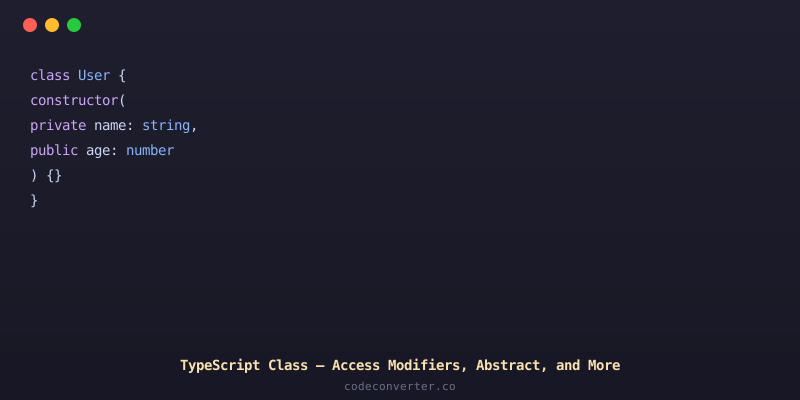
Converting Interfaces and Classes
Interfaces are a bit trickier - since they don't exist in JavaScript, we can use classes or objects instead.
// TypeScript interface
interface Person {
  name: string;
  age: number;
}
// Converted JavaScript class
class Person {
  constructor(name, age) {
    this.name = name;
    this.age = age;
  }
}

TypeScript to JavaScript: The Easy Way
If you don't want to manually convert each file, there's an easier way - using a tool like CodeConverter.co. This AI-powered code converter can translate your TypeScript files into clean, readable JavaScript.
Example Conversion with CodeConverter.co
Let's take our original greeter function and convert it using CodeConverter.co.
// Original TypeScript function
function greeter(name: string) {
  console.log(`Hello, ${name}!`);
}
// Converted JavaScript function using CodeConverter.co
function greeter(name) {
  console.log(`Hello, ${name}!`);
}
And that's it! No manual conversion required. Whether you're working on a small project or a large enterprise application, CodeConverter.co can save you time and effort when converting between TypeScript and JavaScript.
Ready to give it a try? Head over to CodeConverter.co and start converting your code today!