let age = 25;
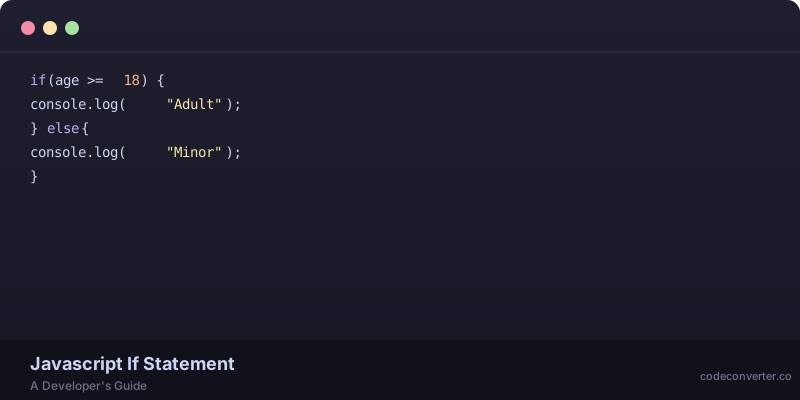
if (age >= 18) {
  console.log("You're an adult!");
} else {
  console.log("You're still a youngster!");
}
I'm sure you've written code like this a million times — I know I have. But have you ever stopped to think about how powerful the humble `if` statement really is? I mean, it's the foundation of all decision-making in our code. Without it, we'd be stuck in a world of straight-line execution, unable to adapt or respond to changing circumstances.
The Basics of JavaScript If Else Statements
So, let's start with the basics. A JavaScript `if` statement consists of three main parts: the condition, the code to execute if the condition is true, and the code to execute if the condition is false (the `else` clause). The basic syntax looks like this:
if (condition) {
  // code to execute if condition is true
} else {
  // code to execute if condition is false
}
Now, I know some of you might be thinking, "What about `else if`? How does that fit in?" Well, `else if` is just a variation on the basic theme. Instead of having a simple `else` clause, you can have multiple conditions chained together using `else if`. It looks like this:
let temperature = 25;
if (temperature < 0) {
  console.log("Brrr! It's freezing!");
} else if (temperature < 10) {
  console.log("It's chilly!");
} else if (temperature < 20) {
  console.log("It's mild!");
} else {
  console.log("It's warm!");
}
Nested If Statements — A Recipe for Disaster?
Now, I'm not one to shy away from complexity — but nested `if` statements can be a real challenge to read and maintain. I mean, just look at this example:
let age = 25;
let isAdmin = true;
if (age >= 18) {
  if (isAdmin) {
    console.log("You're an admin!");
  } else {
    console.log("You're a regular user!");
  }
} else {
  console.log("You're too young!");
}
See what I mean? It's not exactly easy on the eyes. But sometimes it's necessary — so be careful when nesting your `if` statements, and make sure you test them thoroughly!
A Slightly Better Approach — Using Ternary Operators
If you're dealing with simple conditions and want to avoid nested `if` statements, ternary operators can be a good alternative. Here's how you might rewrite the previous example using ternaries:
let age = 25;
let isAdmin = true;
console.log(age >= 18 ? isAdmin ? "You're an admin!" : "You're a regular user!" : "You're too young!");
Now, I know some of you might find this more readable — but personally, I prefer the explicitness of traditional `if` statements. Call me old-fashioned, but there's something about ternaries that just doesn't sit right with me...
Best Practices for Writing JavaScript If Else Statements
- Use meaningful variable names and conditions that make sense in context.
- Avoid deeply nested `if` statements whenever possible.
- Test your conditions thoroughly — especially when dealing with complex logic.
- Consider using ternary operators for simple conditions.
- Keep your code organized and readable!
If you've debugged JavaScript `if` statements at 2am as many times as I have — well, then you know how important these best practices are! Don't make life harder for yourself by writing sloppy or hard-to-read code.
A Word on JavaScript If Else Performance Optimization
I honestly prefer not to worry too much about performance optimization when writing my initial drafts — premature optimization can lead to all sorts of headaches down the line! But when it comes time to refine your code and squeeze out every last drop of performance... well, here are a few things to keep in mind:
- Avoid unnecessary computations within your conditions.
- Minimize DOM lookups whenever possible.
- Carefully consider caching frequently-used values.

In Conclusion...
Javascript if else statements are fundamental building blocks of any program. By mastering them — along with other control structures like loops and functions — you'll be well on your way to becoming a proficient developer! Want more expert-approved tips on improving your coding skills? Head over to codeconverter.com now and take advantage of their AI-powered tools and resources!
Need to convert your code? CodeConverter handles it instantly — just paste and go.