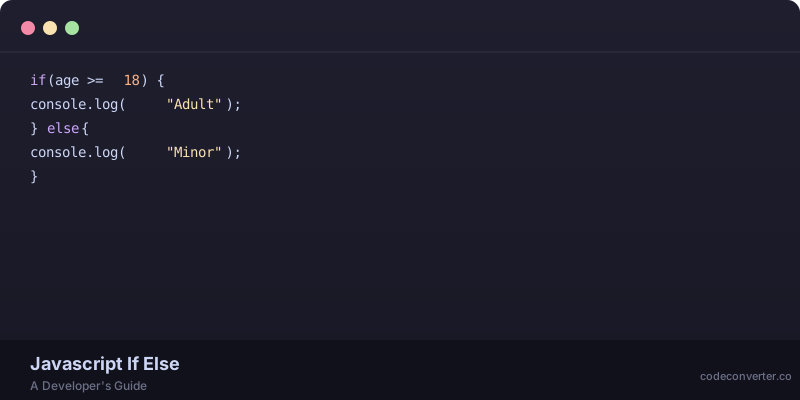
const age = 20;
const status = (age >= 18) ? 'adult' : 'minor';
console.log(status); // outputs "adult"
Ah, the ternary operator — the ultimate shorthand for simple if-else statements in JavaScript. I honestly prefer using it whenever possible, but I've seen some developers avoid it like the plague. If you're in the latter group, don't worry, this article won't judge you (much). We'll explore the ins and outs of the ternary operator in JavaScript, and by the end of it, you might just find yourself loving it as much as I do.
What is the Ternary Operator?
The ternary operator is a shorthand way of writing simple if-else statements. It's called "ternary" because it takes three arguments: a condition, a value to return if the condition is true, and a value to return if the condition is false. The syntax is as follows:
(condition) ? valueIfTrue : valueIfFalse
The condition can be any expression that evaluates to a boolean value (true or false). The values can be any type of data: strings, numbers, objects, etc.
A Simple Example
Let's say we want to display a message based on whether a user is logged in or not. We can use the ternary operator like this:
const isLoggedIn = true;
const message = isLoggedIn ? 'Welcome back!' : 'Please log in';
console.log(message); // outputs "Welcome back!"

Nested Ternary Operators
One of the most powerful features of the ternary operator is that you can nest them inside each other. This allows you to create complex conditional logic without having to write multiple if-else statements.
const age = 25;
const status = age >= 18 ? (age >= 65 ? 'senior' : 'adult') : 'minor';
console.log(status); // outputs "adult"
As you can see, nested ternary operators can get a bit hard to read. Call me old-fashioned, but I think it's always better to prioritize readability over brevity. So, use nested ternary operators sparingly!
Ternary Operators with Functions
You can also use functions as values in a ternary operator. This can be useful when you need to perform different actions based on a condition.
function greet(name) {
  console.log(`Hello, ${name}!`);
}

function sayGoodbye(name) {
  console.log(`Goodbye, ${name}!`);
}

const isLoggedIn = true;
(isLoggedIn ? greet : sayGoodbye)('John'); // outputs "Hello, John!"
As with any programming concept, there are some common pitfalls to watch out for when using the ternary operator.
- Don't overuse it! While the ternary operator can be concise and readable, too many nested ternaries can make your code hard to follow.
- Watch your parentheses! Make sure you have enough parentheses to group your conditions correctly.
- Use it for simple conditions only! If your condition is complex or has many branches, consider using an if-else statement instead.
So how does this all translate to real-world code? Here are a few examples:
// Display a different message based on whether an item is in stock
const isInStock = true;
const message = isInStock ? `Item is available!` : `Item is out of stock`;
console.log(message); // outputs "Item is available!"
// Set a different color based on whether an element is active
const isActive = true;
const color = isActive ? `#333` : `#ccc`;
console.log(color); // outputs "#333"
If you've made it this far without falling asleep — congratulations! You now know everything there is to know about the ternary operator in JavaScript. And if you're feeling adventurous — why not try converting some of your existing code to use ternaries? Head over to CodeConverter.co//a>, our AI-powered code language converter — and see how easy it is!/p>.