import multiprocessing
import time

def worker(num):
    name = multiprocessing.current_process().name
    print(f"Worker {num} started in {name}")
    time.sleep(2)
    print(f"Worker {num} finished in {name}")

if __name__ == "__main__":
    jobs = []
    for i in range(5):
        p = multiprocessing.Process(target=worker, args=(i,))
        jobs.append(p)
        p.start()

    for proc in jobs:
        proc.join()
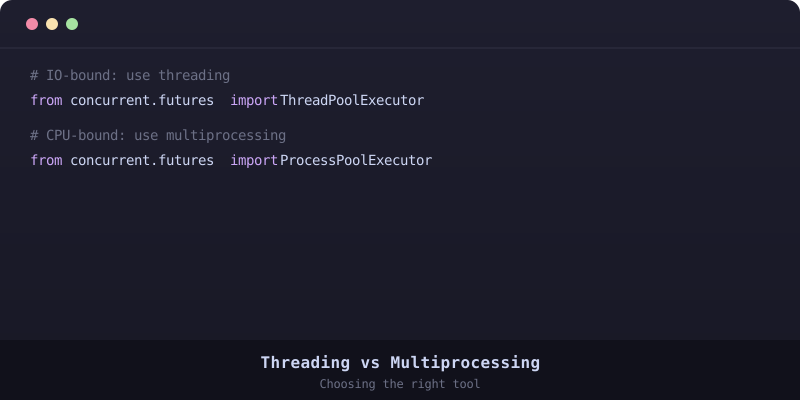
I love Python — who doesn't, right? But one thing that's always bugged me is how it handles concurrency. I mean, we've got GIL - the Global Interpreter Lock - which basically makes it impossible to run threads concurrently. It's like having a super-fast sports car that can only go 30mph on the highway! That's where python multiprocessing comes to the rescue.
What is Python Multiprocessing?
Python's multiprocessing module is a way to run multiple processes concurrently. This means you can make use of multiple cores on your machine, resulting in huge performance gains. And don't worry about GIL - each process runs its own Python interpreter, so it won't slow you down.
The Basics: Processes and Threads
Before we dive deeper into the world of python multiprocessing, let's get some basics straight. We've got two main concepts: processes and threads. Think of a process as a separate program running on your machine, with its own memory space and resources. A thread, on the other hand, is like a tiny part of that program that can run independently.
import multiprocessing

def foo():
    print("Foo")

if __name__ == "__main__":
    p = multiprocessing.Process(target=foo)
    p.start()
    p.join()
Communication between Processes
This is where things get interesting. In python multiprocessing, we've got several ways to communicate between processes: Pipes, Queues, and Shared Memory. Let's take a look at an example using Queues:
import multiprocessing

def worker(q):
    q.put("Hello from worker!")

if __name__ == "__main__":
    q = multiprocessing.Queue()
    p = multiprocessing.Process(target=worker, args=(q,))
    p.start()
    print(q.get())
    p.join()
Synchronization Primitives
Synchronization primitives are used to coordinate access to shared resources between processes. We've got Locks, RLocks, Semaphores, and more. Here's an example using Locks:
import multiprocessing

def worker(lock):
    with lock:
        print("Critical section!")

if __name__ == "__main__":
    lock = multiprocessing.Lock()
    jobs = []
    for _ in range(5):
        p = multiprocessing.Process(target=worker, args=(lock,))
        jobs.append(p)
        p.start()

    for proc in jobs:
        proc.join()

Multiprocessing Pool
Multiprocessing Pool is a convenient way to execute a function across multiple input values using multiple worker processes. It provides methods like map(), apply_async(), and more:
import multiprocessing

def square(x):
    return x**2

if __name__ == "__main__":
    inputs = [1, 2, 3, 4, 5]
    with multiprocessing.Pool() as pool:
        results = pool.map(square, inputs)
        print(results)
If you're struggling with python multiprocessing or need help converting your code from one language to another — don't worry! Head over to CodeConverter.co, an AI-powered code conversion tool that supports numerous programming languages.